The path
Seven steps. Screens are shown where we have them; three Karoo photos are still to come, and for those the words are exact.
Sign up, get your invite code
The form above. Codes are sent by hand, by email, from robert.chuvala@gmail.com. One code registers one Karoo; if you reinstall, reply to the email and ask for another.
Sideload the extension
- Download velovigil-v0.3.2.apk
- USB to the Karoo → on the Karoo choose File Transfer → copy the file into the Download folder
- On the Karoo: Settings → System → File Manager → Download → tap the file → Install. "Retry" on a Karoo 3 is normal; tap it again.
Longer version with every screen.
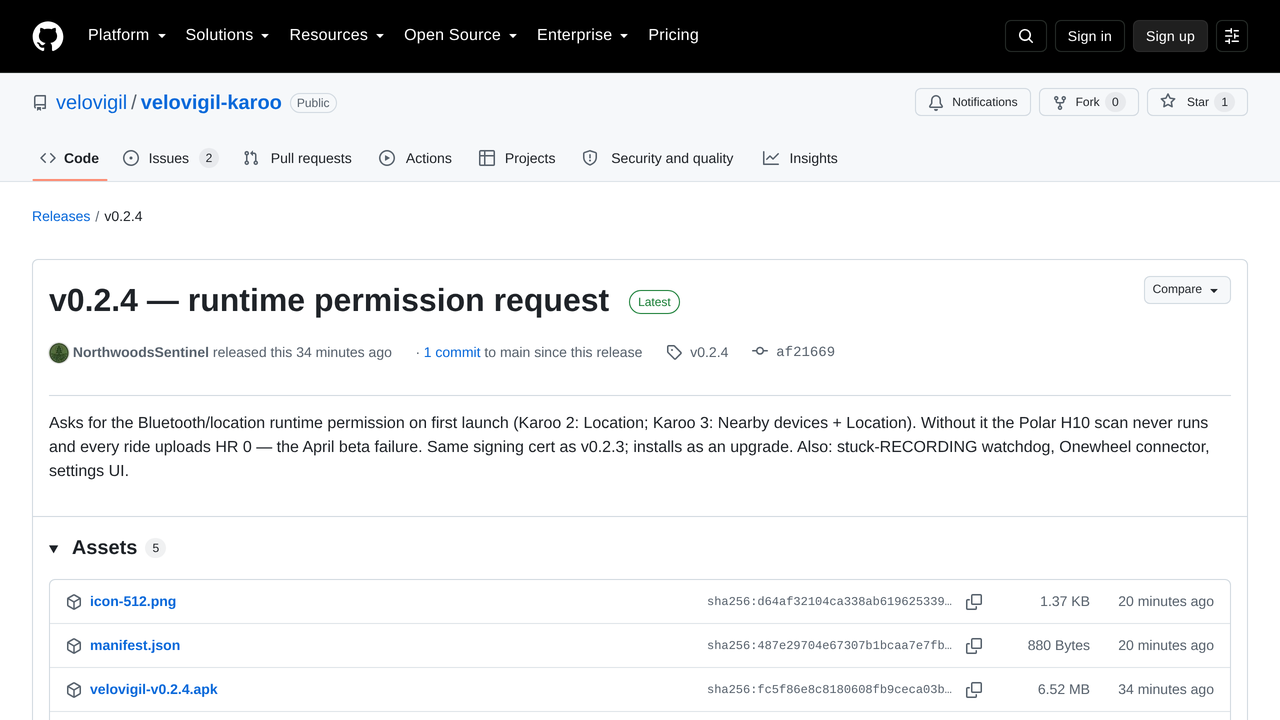
Allow the permission
Open veloVigil → Settings. It asks once. Karoo 2: Location. Karoo 3: Nearby devices + Location. Tap Allow.
This is the step that was missing before 0.2.4. Without it the H10 scan never runs and every ride records a heart rate of 0. If you see no prompt: Karoo Settings → Apps → veloVigil → Permissions.
Register with your code
Same Settings screen: paste the code into Invite Code, tap Register with Invite Code. Your Rider ID (rider_…) appears right there. Write it down; it is your dashboard address.
Pair the H10 through veloVigil
- If the H10 is already paired to the Karoo directly, remove it: Settings → Sensors → the H10 → Forget
- Put the strap on (wet the electrodes)
- Settings → Sensors → Scan → pair veloVigil HR (puzzle-piece icon)
- Not in the list? Back out and scan again. The first scan after installing or rebooting often doesn’t show extension sensors; the second one does (seen on a Karoo 2, 2026-08-26).
Two pairings at once give you a fight over one strap: double readings, or 30–40 bpm nonsense. One pairing, through veloVigil.
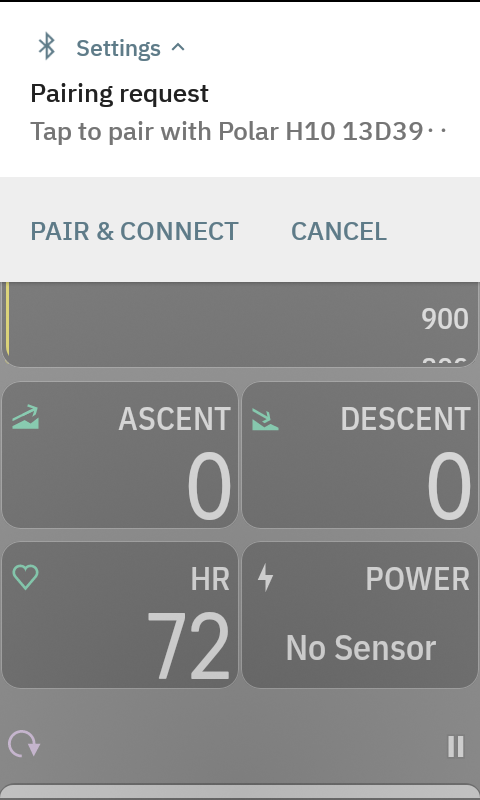
Accept the pairing request
- Within about 30 seconds of pairing, swipe down from the very top of the Karoo screen
- You'll see Pairing request — Tap to pair with Polar H10. Tap PAIR & CONNECT
- Once. The Karoo remembers it.
This is the step nobody could see. The H10 asks the Karoo for an encrypted link; the Karoo's own sensor list never needs it, but veloVigil goes through Android, and Android puts the question in a notification shade a Karoo never shows you. Unanswered, it times out, the link drops, and every ride records a heart rate of 0 — the 0.2.x bug. If you missed it, the request comes back every ~40 seconds until you accept it. veloVigil Settings says H10 PAIRING REQUEST WAITING while it's up.
Ride
Start a ride like normal. Ten minutes is enough for a first check. veloVigil uploads every 5–10 seconds while it has signal and buffers when it doesn't.
Your dashboard: velovigil-fleet.robert-chuvala.workers.dev/dashboard/<your Rider ID>. The ride should appear with a heart rate that isn't 0. If it is 0, go back to steps 3, 5 and 6.
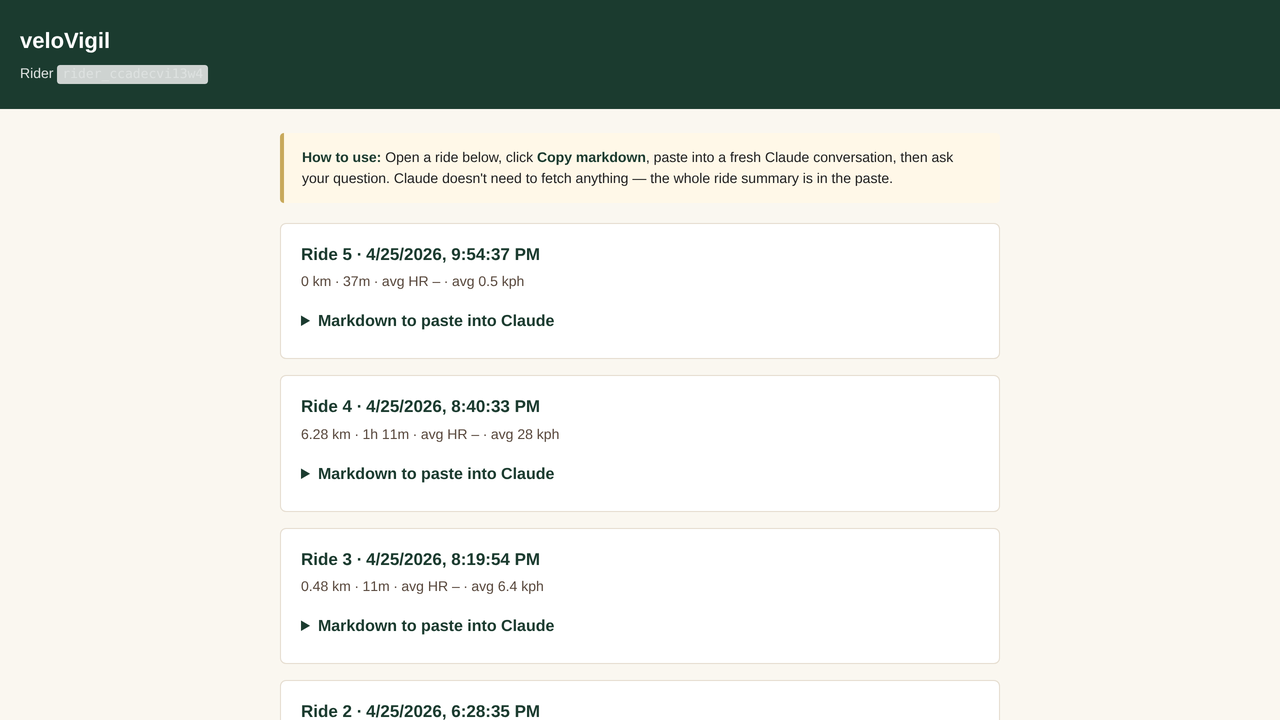
Coach yourself with your own Claude
- On the dashboard, open the ride and click Copy markdown
- Open claude.ai, start a new conversation, paste
- Ask: "Coach me on this ride." Then: "What does my HRV say about recovery?", "Compare this to my last ride."
Paste, don't link. Claude's web tool can't reach the API from claude.ai, so a link fails and the paste works. Nothing goes to us.
Prompts that work well · What's in the export
Stuck? Reply to your invite email with a photo of the screen. That's the support channel; it's read.